
Turn your photo library into passive income. The complete guide — for drone, travel, landscape, and all stock photographers.
If you have thousands of photos sitting on hard drives, cloud storage, or SD cards — you're sitting on potential income. Stock photography platforms are constantly looking for fresh content, and your existing library could start earning this month.
This guide covers everything: which platforms to use, what sells in each niche, the metadata process that makes most people quit, and the tools that make it manageable.
Not all photos sell equally. Here's what buyers are looking for.

Where to upload your photos — and which to start with.
| Platform | Commission | Difficulty | Best For | Sign Up |
|---|---|---|---|---|
| Shutterstock | $0.10–$2.85/download | Medium | Volume, global reach | Free → |
| Adobe Stock | 33% ($0.33–$26+) | Easy | Beginners, quality | Free → |
| Alamy | 50% | Easy | Editorial, niche | Free → |
| Pond5 | 30–50% | Easy | Video footage | Free → |
| Getty/iStock | 15–45% | Hard | Premium, editorial | Apply → |
Different photography types sell differently. Here's what works.

Aerial content is in high demand — perspectives ground photographers can't replicate. Best: cityscapes, infrastructure, agriculture, coastal views. Less competition than general photography.

Destinations, local culture, street scenes, food. Best: authentic (not touristy) shots, lesser-known destinations. If you travel anyway, these photos are free to produce.
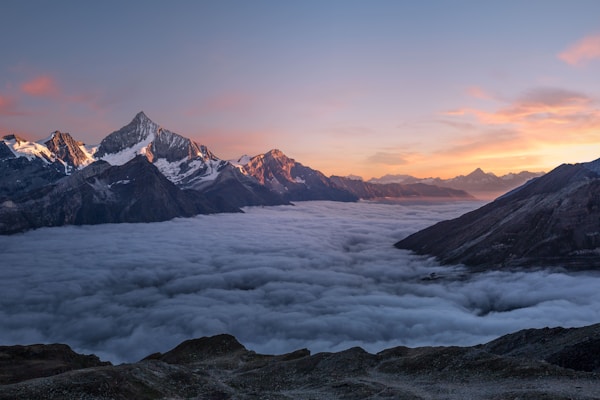
Mountains, forests, coastlines, seasonal scenes. High competition — need volume and great metadata. Weather drama (storms, fog) sells well.

Remote work setups, office scenes, AI concepts. Highest per-download rates but needs model releases. Authentic (not stocky) shots sell best.
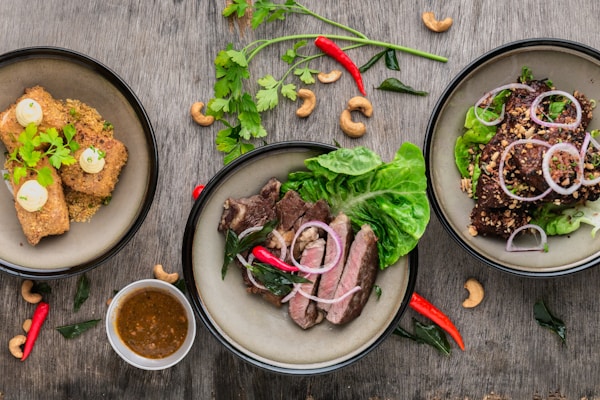
Healthy meals, cooking, fitness, wellness. Steady demand, good for smartphone photographers. Natural lighting and minimal styling work best.
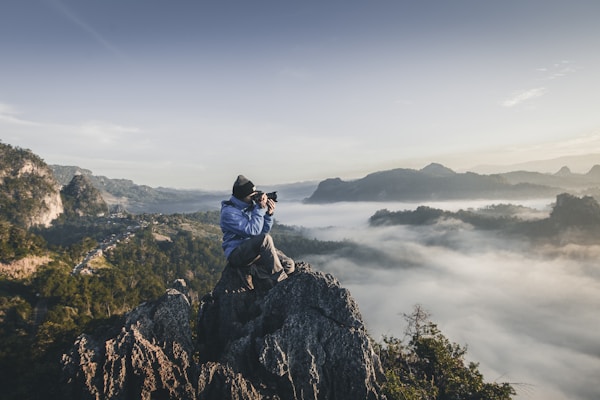
A video download typically pays a few dollars instead of cents — several times a photo. 4K clips, timelapses, drone footage, lifestyle B-roll. Upload to Adobe Stock, Shutterstock and Pond5.
Where most people quit — and how to get past it.
Every photo needs metadata before uploading. For each photo:

Come back from a trip with 500 photos? You're looking at an entire weekend of data entry. The actual photography is 20% of the work. The other 80% is metadata and uploading.
Want the deep dive on keywords specifically? Read our full guide on writing keywords that sell, or if your problem is a backlog of hundreds of untagged photos, see how to clear a stock photo backlog.
This is the tool that made stock photography viable for me. Instead of manually writing titles, descriptions, and keywords for hundreds of photos, you upload your batch and StockFlow generates all the metadata automatically using AI.

What it does:
What used to take a full weekend now takes about an hour.
Free for 50 photos. Paid plans from $9/month.
Try StockFlow Free →Realistic expectations — not hype.
Reality check: Not get-rich-quick money. It's build-a-portfolio-over-months money. But once photos are up, they keep selling with zero extra work. Photos uploaded 8 months ago still generate downloads every week.
From zero to your first uploads.
Sign up for Shutterstock and Adobe Stock as a contributor. Both free. You'll need ID and tax info.
Start with your best 50-100 photos. Quality matters for initial acceptance.
Each photo needs title, description, and 30-50 keywords. Do it manually (5-10 min/photo) or use StockFlow to automate the entire batch.
Upload with metadata. Review takes 1-3 days on Adobe Stock, up to 7 on Shutterstock.
Upload 20-50 photos per week. Volume matters — you need hundreds for consistent sales.
After your first few months of sales data, double down on what works, stop uploading what doesn't.
Buyers search for concepts: "sustainability," "urban development," "remote work." Tag with both literal AND conceptual keywords.
20 photos a week beats 200 once a month. Platforms favor active contributors.
The same photo can sell on multiple platforms simultaneously. Adobe Stock, Shutterstock, and Alamy can all generate income at once.
Upload Christmas content in October, summer content in April, fall colors in August.
Don't just upload new photos. Go through old shoots — travel trips, hikes, city walks. Photos from 2 years ago are just as sellable as today's.
Automates the most time-consuming part of stock photography: writing titles, descriptions, and keywords for batches of photos. Upload your photos, get AI-generated metadata, export CSVs. The difference between spending a weekend on metadata vs. an hour.
Works with all photo types — drone, travel, landscape, portrait, business. Also supports video.
Free for 50 photos. Paid plans from $9/month.
Try StockFlow Free →One of the largest stock platforms with global reach. Free to join.
Sign Up Free →Beginner-friendly — often cited as having a faster review turnaround than Shutterstock, with a straightforward 33% royalty rate.
Sign Up Free →Less than most guides suggest. The useful number is revenue per image (RPI): what one photo earns per month on average. Xpiks' roundup of contributor data puts the average around $0.08 per photo per month (2022 figures), and recent reports are often lower — contributor Alexandre Rotenberg reported $790 in image earnings for September 2025 from a portfolio of about 73,000 images across agencies, roughly $0.01 per image. For a 500-photo portfolio, a realistic range is about $5–$50/month. Contributors earning thousands a month typically have ~10,000 files and years of uploads behind them. Per-download earnings range from about $0.10 (Shutterstock subscription downloads) up to $2.85 for enhanced licenses, with Adobe Stock typically landing around $0.33-$1+ depending on the buyer's plan. None of this is guaranteed — volume and consistency are what actually drive it.
Both are worth joining. Adobe Stock is often cited as having a faster review turnaround, while Shutterstock has broader buyer reach. Many contributors submit to both from day one.
Yes, and they're in high demand. Aerial cityscapes, infrastructure, agriculture, and unique landscape perspectives sell especially well.
Yes, unless you've signed an exclusivity agreement. Most contributors sell across multiple platforms simultaneously.
There's no fixed timeline — it depends on your niche, portfolio size, and how fast each platform reviews your submissions. Most guides treat around 200+ approved, well-keyworded photos as a rough baseline before earnings start to feel steady.
Yes — a video download usually pays several times more than a photo. One contributor who published their 2025 sales saw most Adobe Stock video downloads pay $4.20–$7+ (lowest $2.80), a Shutterstock minimum around $4.40, and occasional single sales above $80. Clips sell less often than photos, so it's a volume game too. If your camera or drone shoots 4K, upload clips alongside photos.
Minimum 4 megapixels, but 12MP+ is recommended. Modern cameras and drones all produce high enough resolution.
The sooner you start, the sooner your portfolio starts earning.
Try StockFlow Free →
StockPrep — Your guide to selling photos on stock platforms.
Questions? support@stock-flow.io
This page may contain referral links. Using them doesn't cost you anything and supports this guide.